How AI Agents Handle Email: The MCP Way
Building AI agents that can sign up to services, verify accounts, and handle email-based flows — using the Model Context Protocol.
The first non-trivial task an autonomous agent runs into is account creation. Almost every useful service on the internet requires an email address, then sends a verification code or magic link, then refuses to proceed until that flow is closed. Without a programmable receive-side, the agent is stuck — it cannot create the account it needs to do the work it was given.
This post is a practical guide to building agents that handle email correctly: why agents need email at all, the three flow patterns that show up, how the Model Context Protocol makes this a first-class capability, a complete agent example using Claude as the LLM and catchotp as the inbox tool, and the security considerations that decide whether the whole thing is safe to run unattended.
Why agents need email
Three reasons, in increasing order of how often they come up in 2026.
1. Account creation
Almost every SaaS, every API provider, every gated download requires an email. If an agent needs to use a service it does not already have credentials for, it has to create an account, which means it has to handle the verification email. Without that capability, the agent is permanently capped at the services it was pre-authorized for.
2. OTP and magic-link login
Even on services where the agent has credentials, modern auth often requires a fresh OTP or magic link per session. The agent needs to read the verification email and complete the loop.
3. Workflow automation
Agents that triage inboxes, summarize emails, or act on incoming notifications need a receive-side that returns structured JSON, not raw HTML. Pulling the OTP out of an email body is a parsing task you do not want an LLM doing on every call.
The three flow patterns
Almost every email-touching agent task fits one of three shapes.
Pattern A: verification
The agent triggers an action; the service sends a confirmation email; the agent has to acknowledge it (click a link or paste a code) before the action completes. Account creation, email-change requests, and consent flows all fit here.
Pattern B: OTP login
The agent already has an account; the service requires a fresh OTP per session. The agent triggers login, waits for the code, submits it.
Pattern C: magic-link
A subset of Pattern B where the verification is a clickable URL rather than a numeric code. The agent waits for the message, extracts the link by hostname, and follows it.
In all three, the agent’s loop is the same: trigger → wait → extract → act. The only thing that changes is whether “extract” pulls a code or a URL.
Why MCP makes this first-class
Model Context Protocol is an open standard from Anthropic for connecting LLMs to external tools and data. The shape it gives email handling matters in three ways.
- Tools defined once, reusable everywhere. An MCP server for email can plug into Claude Desktop, Claude Code, Cursor, or any MCP-aware host. The agent does not need to know the underlying API.
- Structured tool definitions in the model’s context. The model sees
wait_for_otp(inbox_id, timeout_seconds)as a typed tool with a schema, not a free-form HTTP call to construct. - Separation of capability from policy. The MCP server enforces what the agent can do; the host decides whether to let it. Per-task scoped keys plug naturally into this.
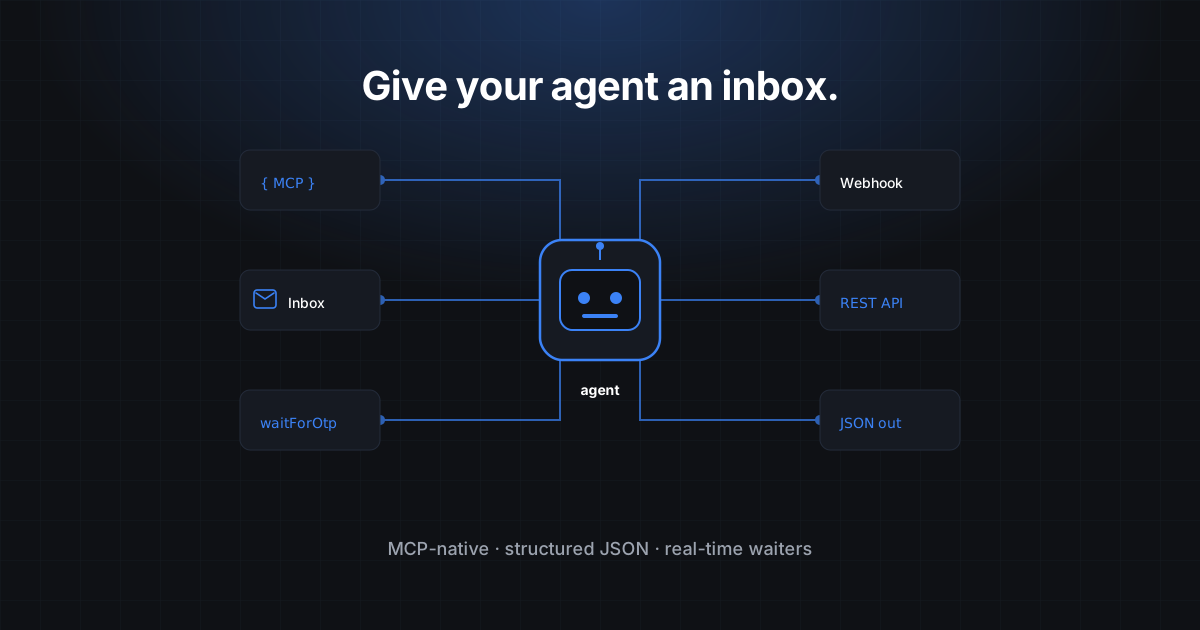
catchotp ships an MCP server (@catchotp/mcp) that exposes the inbox API as agent-callable tools. Drop it into Claude Code, Cursor, or any MCP host and the agent gains email superpowers without any glue code.
The MCP server config
{
  "mcpServers": {
    "catchotp": {
      "command": "npx",
      "args": ["-y", "@catchotp/mcp"],
      "env": {
        "CATCHOTP_API_KEY": "sk_live_..."
      }
    }
  }
}
That is the entire integration in an MCP-aware host. The agent can now call catchotp.create_inbox, catchotp.wait_for_otp, catchotp.list_messages, and the rest as first-class tools.
A complete agent example
For teams that want to build the agent loop directly rather than rely on an MCP host, here is a minimal Anthropic-SDK agent that creates an inbox, signs up to a service, and handles the verification.
import Anthropic from '@anthropic-ai/sdk';
import { CatchOTP } from '@catchotp/sdk';

const ai = new Anthropic();
const otp = new CatchOTP({ apiKey: process.env.CATCHOTP_KEY! });

// Tool definitions exposed to the model
const tools = [
  {
    name: 'create_inbox',
    description: 'Create a fresh disposable email inbox. Returns { id, address }.',
    input_schema: { type: 'object', properties: {}, required: [] },
  },
  {
    name: 'wait_for_otp',
    description:
      'Block until a one-time code arrives at the given inbox. Returns { code }. ' +
      'Use this after triggering an action that should send a verification email.',
    input_schema: {
      type: 'object',
      properties: {
        inbox_id: { type: 'string' },
        timeout_seconds: { type: 'number', default: 60 },
      },
      required: ['inbox_id'],
    },
  },
  {
    name: 'http_post',
    description: 'Send a JSON POST to a URL. Returns { status, body }.',
    input_schema: {
      type: 'object',
      properties: {
        url: { type: 'string' },
        body: { type: 'object' },
      },
      required: ['url', 'body'],
    },
  },
];

const dispatch: Record<string, (input: any) => Promise<any>> = {
  create_inbox: () => otp.inboxes.create({ mode: 'ephemeral', ttlMinutes: 30 }),
  wait_for_otp: ({ inbox_id, timeout_seconds }) =>
    otp.inboxes.waitForOtp(inbox_id, { timeoutSeconds: timeout_seconds ?? 60 }),
  http_post: async ({ url, body }) => {
    const res = await fetch(url, {
      method: 'POST',
      headers: { 'content-type': 'application/json' },
      body: JSON.stringify(body),
    });
    return { status: res.status, body: await res.json() };
  },
};

// The standard agent loop
async function runAgent(prompt: string) {
  const messages: any[] = [{ role: 'user', content: prompt }];

  while (true) {
    const res = await ai.messages.create({
      model: 'claude-opus-4-5',
      max_tokens: 1024,
      tools,
      messages,
    });
    messages.push({ role: 'assistant', content: res.content });

    if (res.stop_reason !== 'tool_use') {
      // Agent is done; return the final text
      return res.content
        .filter((b: any) => b.type === 'text')
        .map((b: any) => b.text)
        .join('\n');
    }

    const toolResults = [];
    for (const block of res.content) {
      if (block.type !== 'tool_use') continue;
      const fn = dispatch[block.name];
      try {
        const result = await fn(block.input);
        toolResults.push({
          type: 'tool_result',
          tool_use_id: block.id,
          content: JSON.stringify(result),
        });
      } catch (err: any) {
        toolResults.push({
          type: 'tool_result',
          tool_use_id: block.id,
          content: `Error: ${err.message}`,
          is_error: true,
        });
      }
    }
    messages.push({ role: 'user', content: toolResults });
  }
}

// Run it
const out = await runAgent(
  'Sign up at https://example.com/signup using a fresh inbox. Verify the OTP. Tell me the resulting account address.'
);
console.log(out);
What happens when this runs:
- The model calls
create_inboxand receives an inbox ID and address. - The model calls
http_postto the signup endpoint with the inbox address. - The model calls
wait_for_otpwith the inbox ID. The Anthropic loop suspends until the underlying long-poll resolves; the model never sees the wait. - The model calls
http_postto the verification endpoint with the OTP. - The model returns the account address as final text.
Five tool calls, no glue code, no sleep, no retry loop.
OTP-vs-magic-link routing
If the agent needs to handle both OTP-style and magic-link-style verification (some services pick one based on the country or the user’s settings), the cleanest pattern is to add a wait_for_message tool alongside wait_for_otp and let the model choose:
{
  name: 'wait_for_message',
  description:
    'Block until any message arrives at the inbox. Returns the parsed message including ' +
    'subject, text, html, links, and detected_otp. Use when the verification format is unknown.',
  input_schema: {
    type: 'object',
    properties: {
      inbox_id: { type: 'string' },
      subject_regex: { type: 'string' },
      timeout_seconds: { type: 'number', default: 60 },
    },
    required: ['inbox_id'],
  },
}
The model can then decide based on the message body whether to extract a code or follow a link.
Security considerations
This is the part most agent posts skip. It is also the part that decides whether you can run the agent unattended.
Per-task API keys
A persistent CATCHOTP_KEY in the agent’s environment gives every task access to every inbox the workspace has ever created. That blast radius is too large for an agent that runs autonomously. The right pattern is per-task or per-session keys: scoped, short-lived, dropped at task end. Pro and Team plans support this.
Inbox scoping
Each API key is scoped to its owning workspace; an agent can only see inboxes it created. If you give two agents the same key, they can read each other’s inboxes. If you want isolation, separate keys.
Audit log
Pro and above include an audit log of every read, every parsed OTP, every API call. For agent workflows, this is the difference between “we trust the agent” and “we can verify what the agent did.” Treat the audit log as evidence.
Domain reputation
Sites that aggressively block disposable-email domains may also block burner-email APIs. catchotp’s domain is not on the standard lists, but no agent can rely on every signup succeeding the first time. Plan for retry and graceful failure.
Don’t grant Gmail OAuth
The shortest path to a disastrous agent is wiring it into your real Gmail via OAuth. The agent gets your personal email, your work conversations, your billing receipts, and the ability to send mail as you. Do not do this. Use a scoped, disposable inbox for the task at hand.
When agents should not handle email
Three cases where this is the wrong pattern:
- Two-person verification. If the action requires a human-in-the-loop confirmation, the agent should pause and surface the question, not auto-confirm.
- Real money. Verification of a payment method, a wire transfer, or a contract signing should not be automated, period.
- Other people’s accounts. The agent should be creating accounts on its own behalf for the task it was given, not impersonating users.
For everything else — research tasks, signups for services the agent needs to use, OTP-based login to APIs the agent uses on the user’s behalf — email handling is just another tool call.
Try the MCP server. Drop into Claude Desktop or Claude Code with one config block. Start free or read the AI agents use case for more.
Related reading
- Programmable Email vs Disposable Email
- How to Test OTP Flows in 2026
- The AI agents use case covers MCP-host configuration in more depth.
The takeaway: agent-friendly email is no longer a missing primitive. With MCP and a programmable inbox, handling verification is one tool call away from the rest of the agent’s work. The hardest part is deciding which inboxes the agent is allowed to touch — and that is a security decision, not an engineering one.